
1. Fast and easy to use professional logo maker
You can make your own logo design using a professional logo maker in less than 5 minutes, without learning new skills for hours or days. Logo Maker Pro has an intuitive interface which allows you to find and use every feature fast and easy. You can start using our professional logo maker without the need of learning new skills.
You don’t need to spend hours to find the best logo design idea. Or to search for a graphic designer. Or to pay or download any graphic design software. Logo Maker Pro has it all – it is online tool available for you at anytime and anywhere to start your idea. Logo Maker Pro has many logo templates, shapes, cliparts and icons for any kind of business. The easiest way to start is to choose the right category of your business and pick a logo template. You can modify, mix and combine logo templates, shapes, cliparts and fonts.
2. Download high resolution PNG and vector PDF and SVG logo files
What really makes a logo maker professional one? The #1 must have feature in any professional logo maker is to provide the vector files of your logo, not just high resolution images. You can download your logo made with Logo Maker Pro in PNG and vector PDF format. You can edit your vector PDF file using the most popular vector graphic tools and apps. The raster type of graphics, such as PNG and JPEG are not editable and resizable in a proper way without harming their quality.
3. You don’t need any design or technical skills to use our professional logo maker
We know that many graphic design tools say that but when you start using them you realize that it is not exactly the true. The most of these platform are trying to ease their users by giving them all feature from the professional graphic software which. That only can make you more and more confused unless you are a professional graphic designer. The “generator” logo makers are another type of tools for making a logo online. They are trying to works in the easiest way. And that is where their disadvantages come from. They give you premade logo suggestions based on your business category. You just type your logo name and you are ready to download it as an image. You can’t customize it or get its vector files for future modifications. You can’t change colors, fonts, shapes, graphics and etc. Logo Maker Pro gives you so much more than that without making the process too difficult for non-professionals. You can use premade logo templates but you can customize them as you want and continue working on. You can download a vector, editable file format of your logo and edit it whenever you want it in the future. You can also create your own logo in a completely custom way. Logo Maker Pro is your online canvas tools with thousands of fonts and graphic where you can also upload your own icons and vectors (SVG) and download all needed files.
4. Logo Maker Pro is always online for you to make a new logo for your next project.
You don’t need to install or pay anything to start. Just visit LogoMakerPro.com. You can start your idea in a few clicks. If you like the result and you want to download it, you can pay and get high-resolution PNG and vector PDF files. After your successfully completed purchase you will receive the files on email and a 30-day access to your logo page where you can edit and download your design as many times as you want.
5. Logo Maker Pro gives you hundreds of free logo templates, cliparts, shapes and fonts
The best and easiest way to make your own logo design is to start from a premade template or to find logo ideas suitable for your business. If you want to use a template from Logo Maker Pro but you prefer to change the icon, shapes, fonts you can easily do it. Type the name of your business or idea, customize everything in the way you want and your new logo is ready!
6. You can add and use your own vector SVG files in Logo Maker Pro
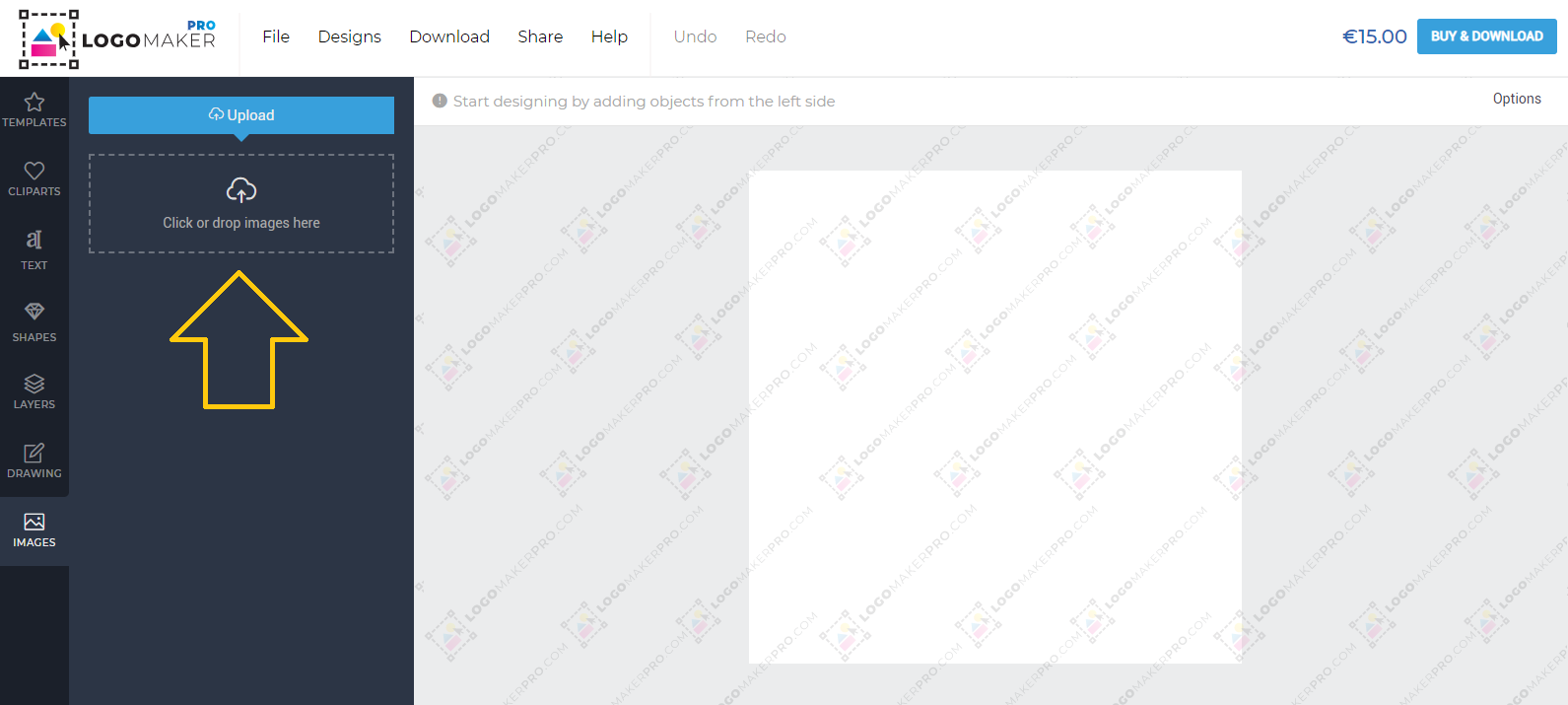
If you want to use your own SVG icon, you can upload it from the “IMAGES” tab at the main Logo Maker Pro menu at the right side of the editor.
7. You can try our professional logo maker for free. Pay only if you want to download high-resolution PNG and vector files.
You can test Logo Maker Pro for free and pay only if you are satisfied with the result. This means that the payment is needed only if you want to use your new logo made with Logo Maker Pro. You don’t need to pay to try it or for a subscription to use Logo Maker Pro. It is much more simple than that – start making your new logo and when it is done, you can pay to download. You will get your files on email as a download link. You will also receive a link to you logo page where you can edit it and download the new design again.
8. One time payment for unlimited editions and downloads for 30 days
You might want to make some changes to your new logo even after you complete your order. And this is what makes our logo maker professional. Logo Maker Pro gives you access to your logo editor page for 30 days. For that period you can edit and download your logo unlimited times.
Note: If you open your vector logo file on your computer you must know how the fonts will work on your computer. If a file contains a font that you haven’t already installed on your computer, the text will appear without it. You must first download and install all fonts that you have used for you logo on your computer. Logo Maker Pro uses free for personal and commercial use fonts. The most of them are Google fonts. Learn how to easily install Google Font on your computer here >>
Make your own logo using a professional logo maker, without being a graphic designer today! Just launch Logo Maker Pro >>

